
DNS checks
A DNS check asks a DNS server for a domain’s addresses on a schedule, and alerts when the server stops answering or answers wrong.
Adding a DNS check
Section titled “Adding a DNS check”In Add check, choose DNS server doesn’t respond under Alert us when…, then fill in:
| Field | Details |
|---|---|
| DNS server to monitor | The server’s public IP address, IPv4 or IPv6, such as 1.1.1.1 or your own name server’s address. |
| Domain to query the DNS server with | The domain to look up, such as example.com. Labels may start with _, as in _dmarc.example.com. |
| Keyword to find in the DNS response | Optional. Usually the address the domain should point to. Leave it empty to accept any address. |
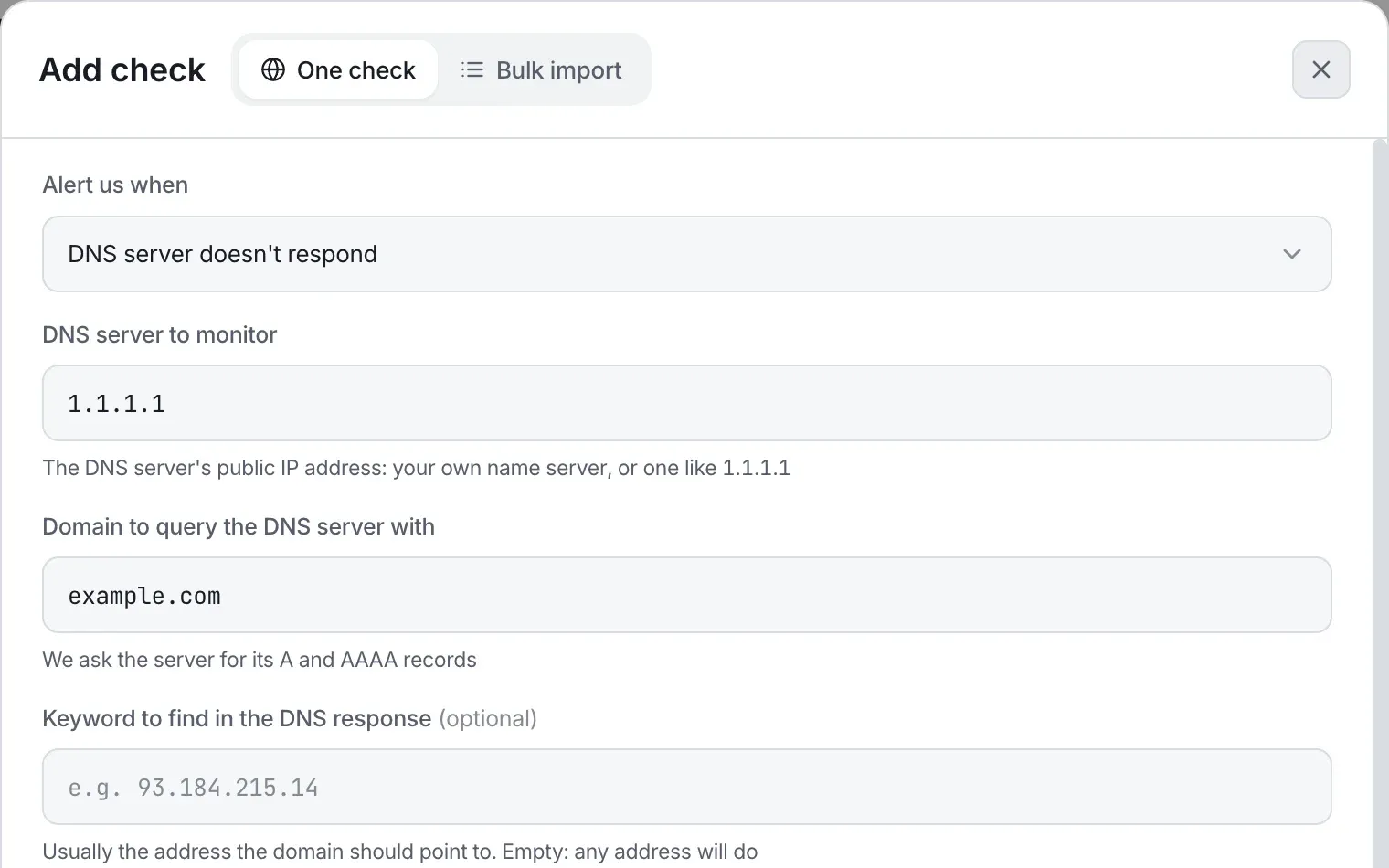
The check’s card reads example.com via 1.1.1.1.
When a DNS check is down
Section titled “When a DNS check is down”The check asks the server for the domain’s A and AAAA records together, and is up when either one returns an address. It’s down when:
| What happened | The check says |
|---|---|
| The server doesn’t answer within the timeout | The DNS server 1.1.1.1 didn't answer in time |
The server reports a server failure (SERVFAIL) |
The DNS server 1.1.1.1 couldn't look up example.com (server failure) |
The server refuses the query (REFUSED) |
The DNS server 1.1.1.1 refused to answer for example.com |
| The server refuses the connection | The DNS server 1.1.1.1 refused the connection |
| The server says the domain doesn’t exist | 1.1.1.1 answered that example.com doesn't exist |
| The domain has no address | 1.1.1.1 answered, but example.com has no address (no A or AAAA record) |
| The keyword isn’t in the answer | 1.1.1.1 answered example.com without "93.184.215.14": … |
| Any other error | The DNS server 1.1.1.1 didn't answer for example.com (<error code>) |
When it’s up, the result reads 1.1.1.1 answered: followed by the addresses.
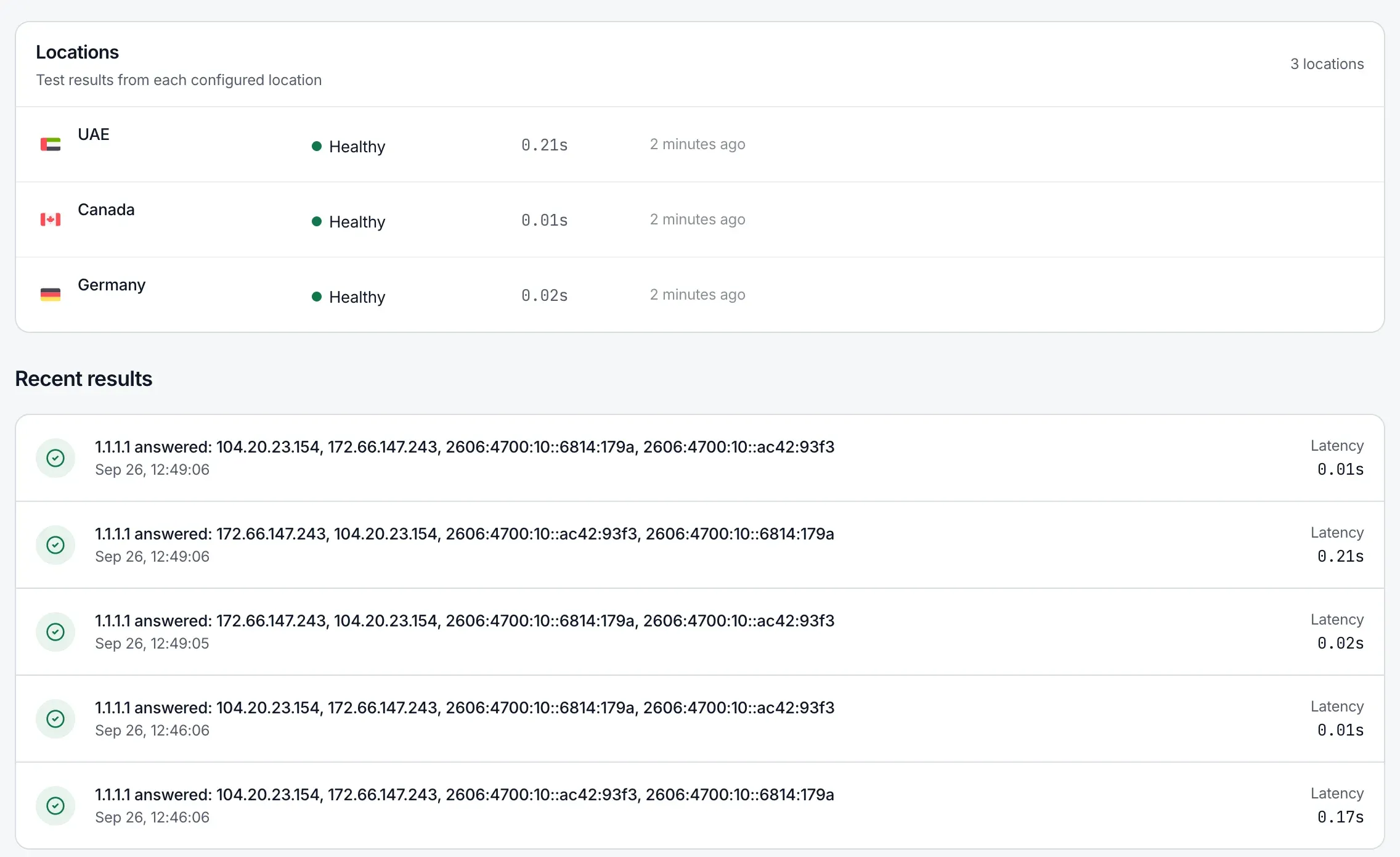
Cloudflare-hosted zones answer a name that doesn’t exist with “no address”, not “doesn’t exist”, so expect the “no address” message for them.
Limits
Section titled “Limits”- The DNS server must be a public IP address. Private and reserved addresses, such as
10.x.x.x,192.168.x.x,127.x.x.x, and100.64.0.0/10, are refused with “The DNS server must be a public IP address, like 1.1.1.1”. - Queries go to port 53 only.
- There’s no Internet Protocol (IP) version setting: the DNS server’s address decides whether it’s asked over IPv4 or IPv6.
- The request timeout is 5 or 10 seconds, as for ping checks.
- DNS checks can also be created and changed through the REST API. See Uptime checks in the API.
Run Now on the check’s page works for DNS checks. Check frequency, the confirmation period, and checking from several locations work as for other checks. See Working with checks.