Uptime checks for your sites, APIs and cron jobs
Uptime checks them from the same dashboard and alert channels as your tunnels, and they're free while Uptime is in beta.
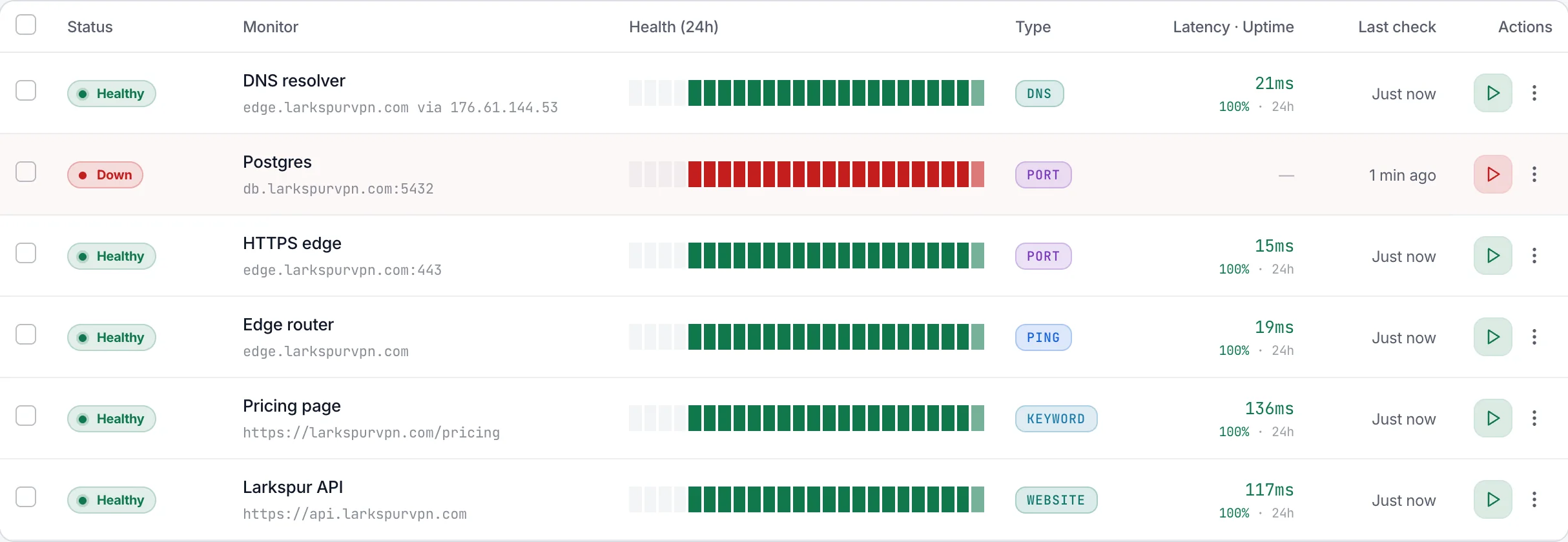
Five checks and a heartbeat
Pick what counts as down: a site, an API, a page's text, a host, a port, a DNS answer or a job that stops checking in.
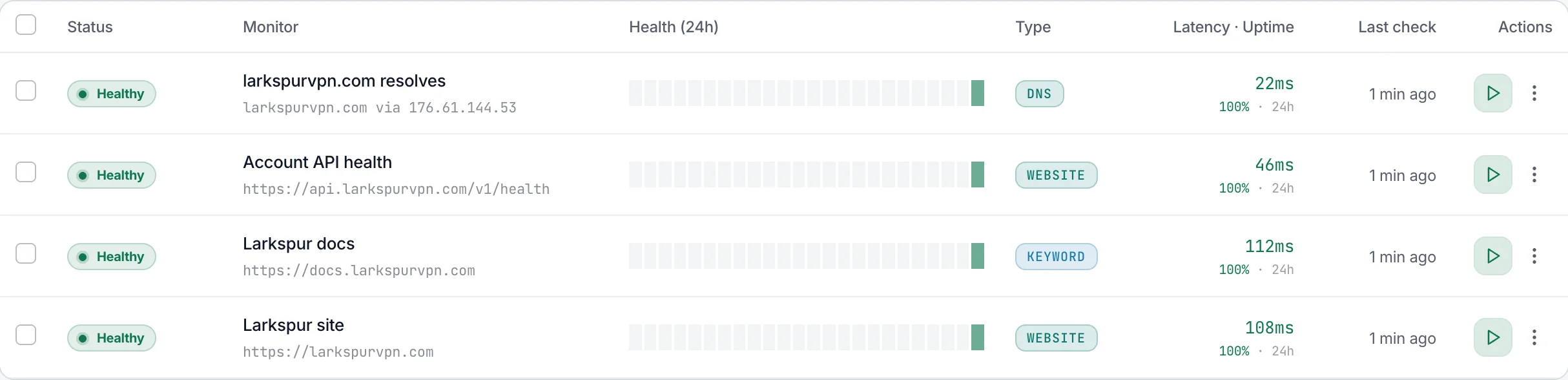
Website, keyword, ping, port and DNS
Each has its own idea of down, from a status outside 200–299 to a DNS server that answers with the wrong address.
Make a HEAD, GET or POST request to this address each time the job runs:
https://app.tunnelhq.com/api/push/Lk7q2NvR8sTb3WmYc4HdJf6Pz9Xa1EuQCopyTo report a failure, add /fail, or the job’s exit code (/0 means it worked).
# After the job succeeds
curl -fsS -m 10 --retry 5 -o /dev/null \
  https://app.tunnelhq.com/api/push/Lk7q2NvR8sTb3WmYc4HdJf6Pz9Xa1EuQ

# Or report the job’s own exit code
your-job; curl -fsS -m 10 --retry 5 -o /dev/null \
  https://app.tunnelhq.com/api/push/Lk7q2NvR8sTb3WmYc4HdJf6Pz9Xa1EuQ/$?
Heartbeats for cron jobs and backups
Your job calls its address each time it runs, so a missed call, /fail or a non-zero exit code sends the alert.
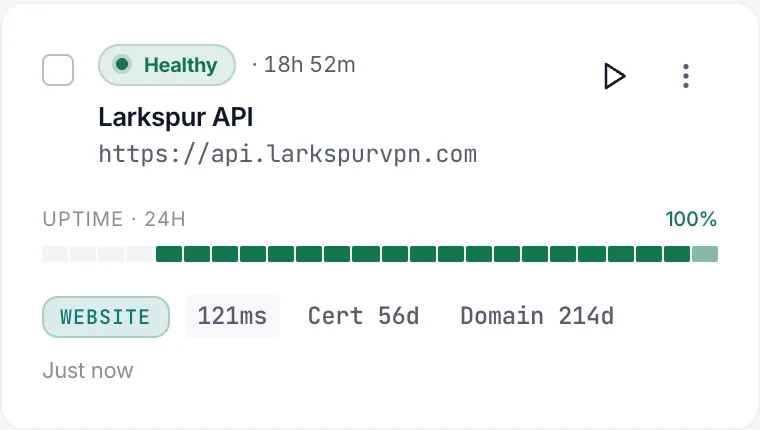
Certificate and domain expiry
Website and keyword checks warn up to two months ahead, and close the warning themselves once you renew.
Confirmed before anyone is paged
A failed check is checked again before it opens an incident, and the alert goes where your tunnel alerts already go.
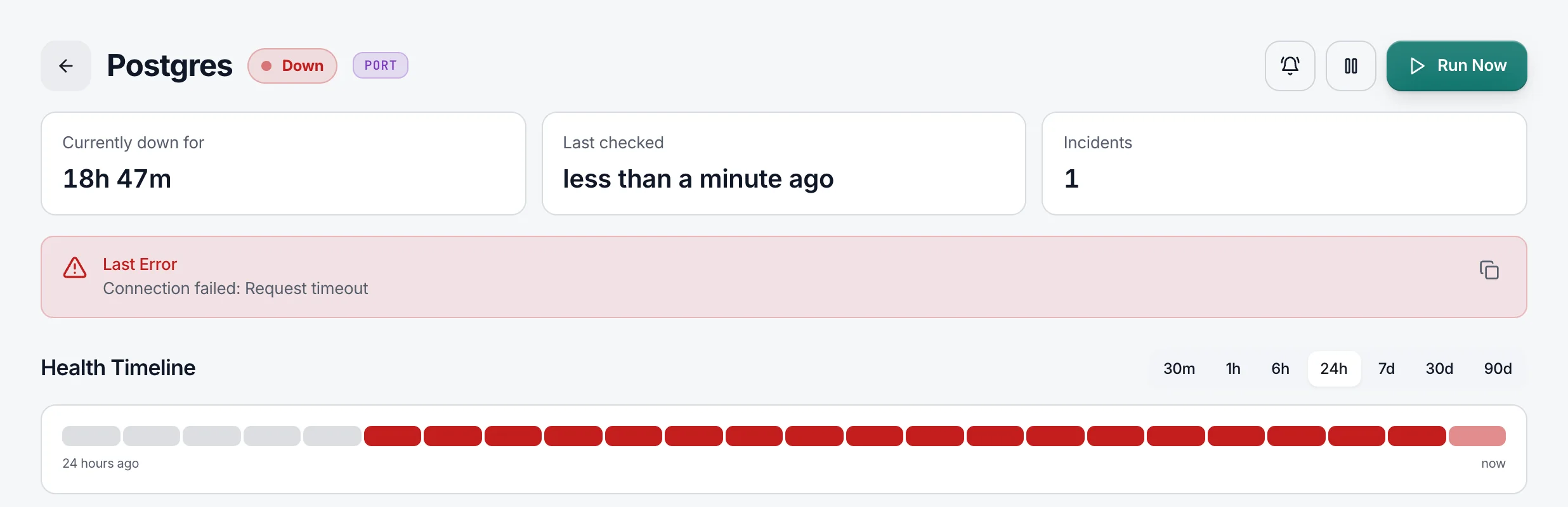
One incident, one alert
A failure waits out the confirmation period, two minutes by default, and only a second failure opens an incident and alerts.

Acknowledge, retest, move on
The incident says what failed and where, and you can acknowledge it or run the check again from it.
- Slack
- PagerDuty
- Telegram
- Discord
- Opsgenie
- Google Chat
- Mattermost
- Microsoft Teams
- Signal
- Grafana OnCall
- Matrix
- Rocket.Chat
- ntfy
- 6 more
The channels your tunnels use
Checks alert through the same 20 channels: Slack, PagerDuty, Telegram, email and the rest.
Or let your AI assistant set it up
Paste one prompt into your assistant and review what it found before anything is added.
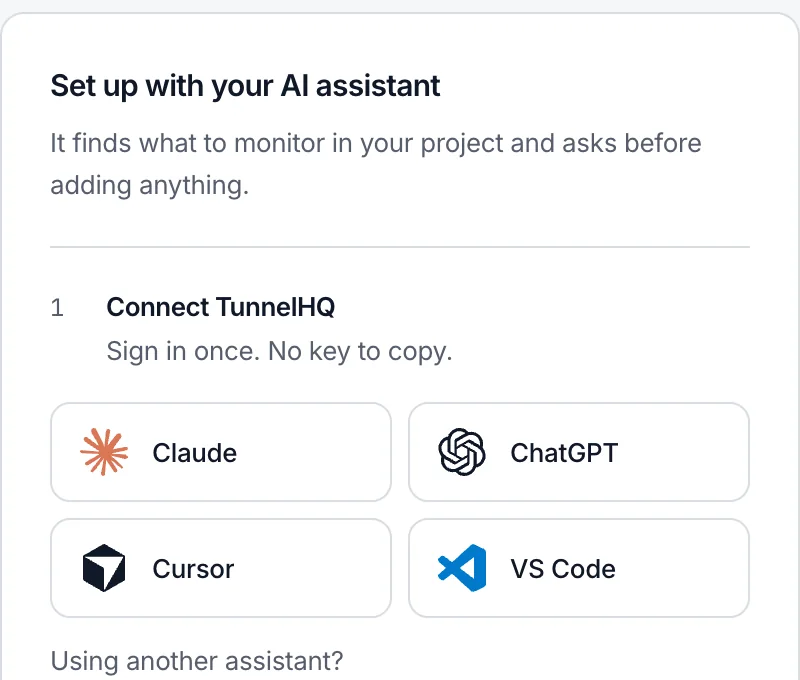
Connect once
Sign in from Claude, ChatGPT, Cursor or VS Code. There's no API key to copy.
› Prompt copied from the Uptime page
…
Then look through this project for what we
run in production and should watch: our
websites and APIs (…), ports we open to
the internet, and scheduled jobs such as
cron tasks or backups.

Leave out:
- other companies' services the code calls
  (…);
- localhost, emulator and private addresses,
  and staging, test or example URLs;
…
- VPN servers: they belong on the
  Tunnels page;
…
List what you would add, with where you found
it, and wait for my OK. …
It asks before it adds
One prompt from the empty Uptime page finds the sites, APIs, ports and jobs you run, and waits for your OK.
I added all five checks to Larkspur Web, and all four that run on a schedule passed their first run. None failed.
Every check tested
After your yes it adds them and reports each one's first result.
Defaults and plans
A new check starts with these settings, and your plan sets how often it can run and where from.
Questions
When does a failed check alert?
It waits out its confirmation period, 2 minutes by default, and checks once more. Only if that fails too does it go Down, open one incident and alert every channel on the check. A blip that clears in time leaves nothing behind. With the period set to Immediately, the first failure alerts. Tunnels work a little differently: their first failure opens a Degraded incident, and the alert waits for the next check.
Do Uptime checks count against my plan?
No. Uptime checks are free during the beta and don't count toward your plan's tunnels. Heartbeats are Uptime checks too.
Can a check run from several places?
On Pro and up. It's Down only when most of its locations see it down, such as 2 of 3. Fewer is Partial, which alerts only if you turn that on.
How does a heartbeat decide a job is late?
You set how often the job runs, up to once every 7 days, and a grace period, 1 hour by default. If no call arrives within both, or a call reports /fail or a non-zero exit code, it goes Down and alerts at once. The address is shown only to people who can edit checks.
What about certificates and domains?
Every https address has its certificate watched, 14 days ahead by default. Domains are opt-in, with the date read from the registry; some, such as .de, publish none, and the check says so. Either one opens an amber Expiring incident that closes itself on renewal.
Can it watch something on my private network?
No. Checks connect from TunnelHQ's servers, so private and reserved addresses such as 10.x.x.x and 192.168.x.x are refused when you save.
Can I add many at once, or from code?
Paste URLs one per line in Bulk import: duplicates are dropped and anything that isn't a web address is reported. The REST API, the thq CLI and the MCP server create, change and pause checks too.
Can I group checks?
Yes, by site or customer. A group shows its worst status and how many of its checks are up, and never alerts on its own.